Customer Satisfaction Survey: Questions, Template and How to Use It
How to run a customer satisfaction survey: the core CSAT question, how the score is calculated, example questions, a copyable template, and how to link results to your reviews.
 By Editorial Team
7 min read
By Editorial Team
7 min read
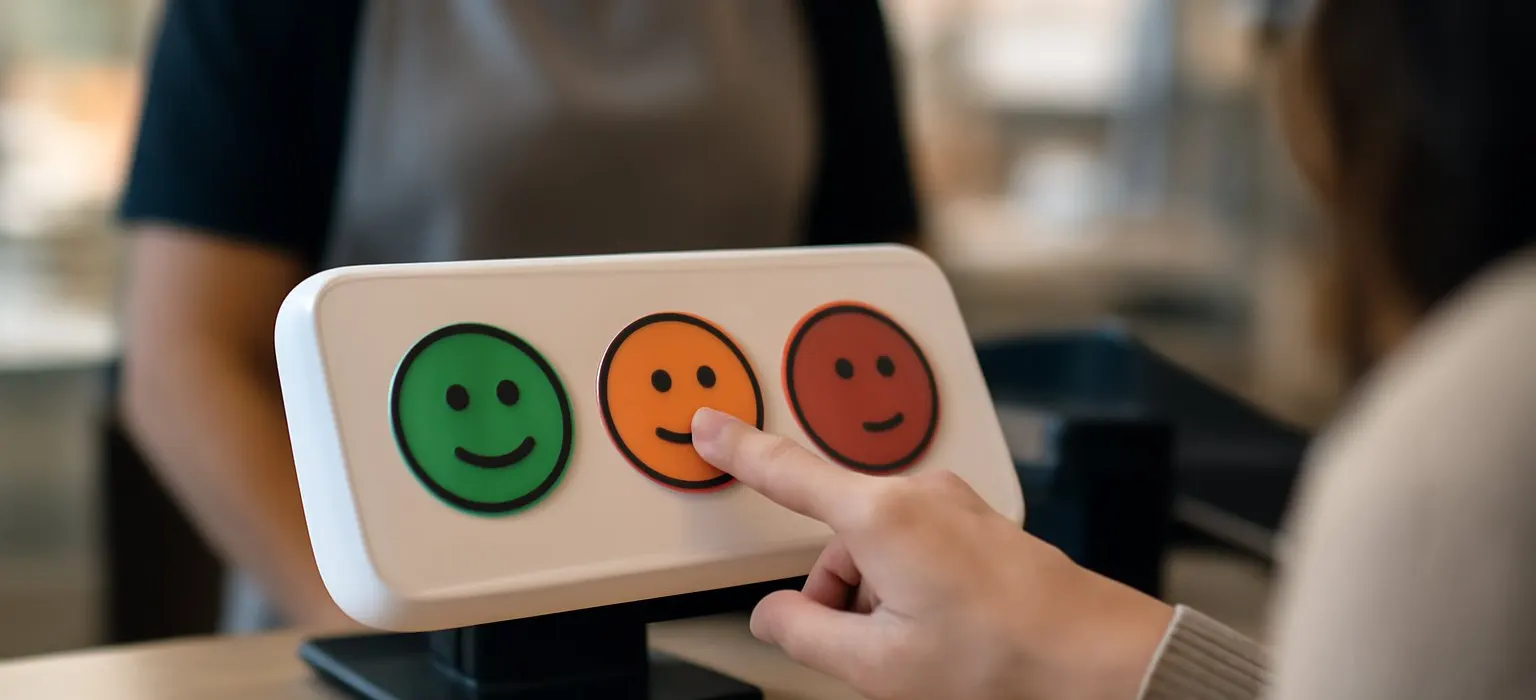
A customer satisfaction survey asks customers how satisfied they were with a specific purchase, visit or interaction, usually on a 1 to 5 scale from “very dissatisfied” to “very satisfied.” The common way to score it is CSAT: the percentage of respondents who choose 4 or 5. Add one open question asking what you could do better, send it soon after the experience, and send it to every customer, not just the ones you think were happy.
Satisfaction surveys are the most direct way to hear about a problem while it’s still private. Used well, they help you fix things before they turn into one-star reviews, and they show you which parts of your service customers value most.
The core customer satisfaction question
The standard question is short and specific to one experience:
How satisfied were you with [your visit / your order / your support call] today?
Answers are usually on a five-point scale:
- Very dissatisfied
- Dissatisfied
- Neither satisfied nor dissatisfied
- Satisfied
- Very satisfied
Some businesses use a 1 to 7 or 1 to 10 scale, or smiley faces instead of words. Any of these works, as long as you use the same scale every time so the results stay comparable.
How CSAT is calculated
On a five-point scale, CSAT is the share of respondents who answered 4 (satisfied) or 5 (very satisfied):
CSAT = (number of 4 and 5 responses / total responses) × 100
For example, if 120 customers respond and 96 choose 4 or 5, your CSAT is 96 / 120 × 100 = 80 percent. These figures are illustrative.
Unlike NPS, CSAT is reported as a percentage. Some teams report an average rating instead, such as 4.3 out of 5. Pick one method and stick with it. Our guide to the CSAT score covers the calculation and its variations in more depth. For the NPS side, our guide on how to calculate NPS walks through the formula.
Customer satisfaction vs NPS vs customer effort
These three metrics are often confused. They measure different things and work best at different moments.
| Metric | Core question | What it measures | Best moment to ask |
|---|---|---|---|
| CSAT | How satisfied were you with…? | Satisfaction with one interaction or purchase | Right after a visit, delivery or support contact |
| NPS | How likely are you to recommend us to a friend or colleague? (0 to 10) | Loyalty and likelihood of word of mouth. Score = % promoters (9 to 10) minus % detractors (0 to 6) | After a key interaction, or periodically for the overall relationship |
| Customer effort (CES) | How easy was it to…? | How much effort a task took | After support, returns, booking or checkout |
A satisfaction survey is often the better fit for businesses where customers are happy but unlikely to recommend you out loud, such as some legal, medical or financial services. For the loyalty side, see our guide on what net promoter score is.
Example questions by touchpoint
Keep the headline question the same and adjust the follow-ups to the moment you’re asking about.
After a visit or appointment
- How satisfied were you with your visit today?
- How satisfied were you with the time you waited?
- Did the staff explain things clearly? (Yes / Partly / No)
After an online order
- How satisfied were you with your order?
- Did your order arrive when expected? (Yes / No)
- Did the product match its description? (Yes / Partly / No)
After a support contact
- How satisfied were you with the help you received?
- Was your issue resolved? (Yes / No)
- How easy was it to get help? (Very difficult to Very easy)
The open question for every survey
What’s one thing we could have done better?
This is the question that tells you what to fix. Make it optional, but always include it. For more question formats beyond satisfaction, see our guide to the customer feedback survey.
A customer satisfaction survey template
Copy and adapt this for a local service or retail business. It should take under a minute.
- How satisfied were you with your [visit / order / service] today? (1 Very dissatisfied to 5 Very satisfied)
- Did we do what you needed? (Yes / Partly / No)
- What’s one thing we could have done better? (optional)
- May we contact you about your answers? (Yes / No)
On the thank-you screen, shown to everyone regardless of their score:
Thanks for your feedback. We read every response. If you’d like to share your experience publicly, you can leave a review here: [link]
How to get honest, useful answers
- Send it soon. Within a day for most services, so the details are fresh.
- Keep it short. Three or four questions. Long surveys mostly hear from people with strong opinions.
- Survey everyone in the group, not a list staff choose. Letting staff pick who gets surveyed skews results toward happy customers.
- Don’t coach. Staff saying “please give me a 5, anything else counts against me” produces flattering numbers that don’t match your reviews.
- Stay neutral. Don’t color the scale or use leading wording like “How much did you love…?”
- Keep incentives neutral. If you offer one for completing the survey, it should be the same for everyone and never depend on a positive answer.
Not sure where to start?
Get a free audit of your search results and review profiles, with a prioritized fix list.
Get a free auditTurning satisfaction results into a better reputation
The survey is private. Your reviews are what future customers see. The connection between the two is what you do next.
- Follow up with dissatisfied customers who gave permission to contact them, ideally within a day or two. Listen, apologize where it’s warranted, and try to fix the problem. Don’t ask them to avoid or change a review. Our guide to service recovery covers how to handle these conversations.
- Tag the comments by theme each week or month.
- Compare with your reviews. If “wait time” appears in both your survey comments and recent Google reviews, it’s already affecting your public reputation.
- Fix one or two things at a time, with a named owner, and watch whether the theme drops in the next round.
- Say what changed in review replies and customer updates, so people see the feedback went somewhere.
A worked example
This is an illustrative scenario, not a real client.
A family-owned veterinary clinic starts sending a four-question satisfaction survey by email the day after each appointment. CSAT is healthy overall, but the “did we do what you needed?” question shows a cluster of “Partly” answers, and the comments explain why: pet owners leave unsure about medication instructions.
A look at the clinic’s Google reviews turns up two recent three-star reviews saying roughly the same thing. The clinic introduces a printed discharge sheet for every appointment with medication instructions and a phone number for questions. Staff call the owners who gave permission to be contacted, and the practice manager replies to the two reviews explaining the new sheets.
Over the next few months, the “Partly” answers fall and new reviews begin to mention the clear instructions. For more on this sector, see our veterinary reputation management page.
Common mistakes
- Measuring the wrong thing. A satisfaction score for a whole year of service is vague. Tie the question to a specific interaction.
- Chasing the score. A high CSAT with a falling star rating means your survey isn’t reaching the customers who write reviews, or staff are coaching answers.
- Ignoring neutral answers. A 3 is not a pass. Neutral customers rarely complain but often don’t come back.
- Gating reviews with the score. It breaks platform rules and hides the feedback you most need.
- Never closing the loop. If customers never hear back, they stop filling in surveys and some take complaints public instead.
- Changing the scale. Switching from five points to ten mid-year makes trends impossible to read.
When to get help
A single location can run a satisfaction survey with a form tool and a spreadsheet. Once you’re managing several locations, multiple review platforms and a steady flow of comments, tying survey results to public reviews takes real time. Our review management service handles compliant review requests, replies and reporting, so your survey insights show up in what customers see. For smaller businesses, our small business reputation management page explains how we help.
Frequently asked questions
What is a customer satisfaction survey?
It’s a short survey asking customers how satisfied they were with a specific purchase, visit or interaction, usually on a 1 to 5 scale. It often includes an open question asking what could be improved.
How do you calculate a CSAT score?
On a five-point scale, divide the number of customers who answered 4 (satisfied) or 5 (very satisfied) by the total number of responses, then multiply by 100. The result is a percentage.
When should I send a customer satisfaction survey?
Soon after the interaction you’re asking about, usually within a day. For physical products, wait until the customer has had a chance to use what they bought.
What's the difference between CSAT and NPS?
CSAT measures satisfaction with a specific interaction and is reported as a percentage. NPS measures how likely customers are to recommend you, on a 0 to 10 scale, and is reported as a number from -100 to +100.
Can a satisfaction survey include a link to leave a review?
Yes, as long as every respondent sees the same invitation whatever their score. Showing it only to satisfied customers is review gating, which Google prohibits.